Add Unlock to the Right-Click Menu for Locked Objects
-
I was experimenting with setting the lock settings to "Allow Locked Objects" as active - so I can select a locked item but not move or edit it. I'm now seeing the value in this feature. Every day I learn new tricks and methods that improve my use of VS!
When Select → Options → Allow Locked Objects is enabled, locked objects can be selected without being edited.
This makes it easy to choose exactly which locked objects I want to unlock, but the final step still requires going to Object → Locked.
I think it would be useful to add Unlock or Toggle Locked to the right-click context menu when a locked object is selected.
This would be be another fast method to control what is locked or unlocked. It would only appear in the right-click menu when a locked object is selected and "Allow Locked Objects" is enabled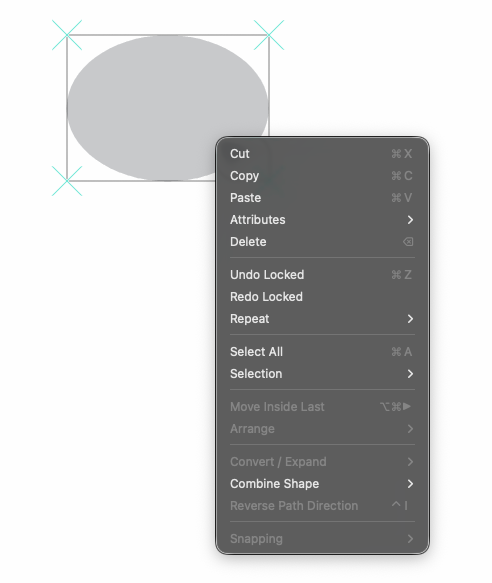
Suggested workflow
- Enable Allow Locked Objects
- Select one or more locked objects
- Right-click
- Choose Unlock
This would make selective unlocking much faster, especially in files with many locked objects spread across different layers.
Related discussion:
https://www.vectorstyler.com/forum/topic/2796/selecting-one-locked-object
