VectorStyler
    • Categories
    • Unread
    • Recent
    • Tags
    • Popular
    • Register
    • Login

    How do I keep VS spot colors when exporting to pdf?

    Scheduled Pinned Locked Moved Questions and Support
    4 Posts 2 Posters 15 Views 2 Watching
    Loading More Posts
    • Oldest to Newest
    • Newest to Oldest
    • Most Votes
    Reply
    • Reply as topic
    Log in to reply
    This topic has been deleted. Only users with topic management privileges can see it.
    • RaaskotR Offline
      Raaskot
      last edited by

      I need help:

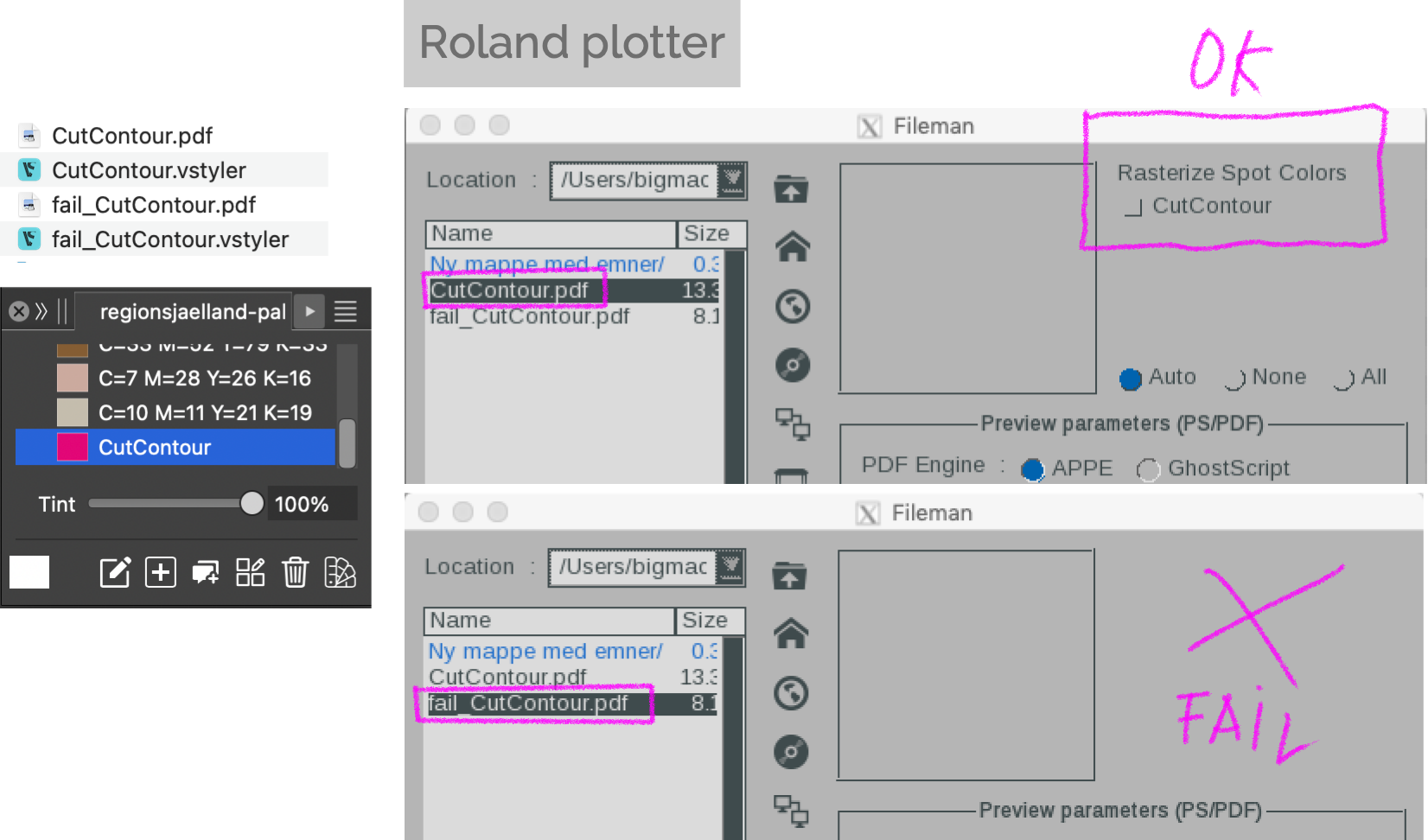
      I have until now used VS outputting and sending files to a plotter without issues, but now I cannot output the pdf's correctly any more. The plotter doesn't recognize the CutContour spot color needed.

      I've attached 2x2 pdf's and VS files. The two of the latter works fine.

      To figure out the correct settings: Can you please tell the difference in the setup of the two VS's?
      vs-and-pdf-files.zip

      4f776546-e18b-4b7a-8386-7911c61d90cb-image.png

      VectorStylerV 1 Reply Last reply Reply Quote 1
      • VectorStylerV Offline
        VectorStyler @Raaskot
        last edited by

        @Raaskot In the second case (file_CutContour) there are no spot colors in the vstyler file
        You can see this in the Color Palette panel, where all colors are shown with a full box.

        VectorStylerV 1 Reply Last reply Reply Quote 1
        • VectorStylerV Offline
          VectorStyler @VectorStyler
          last edited by

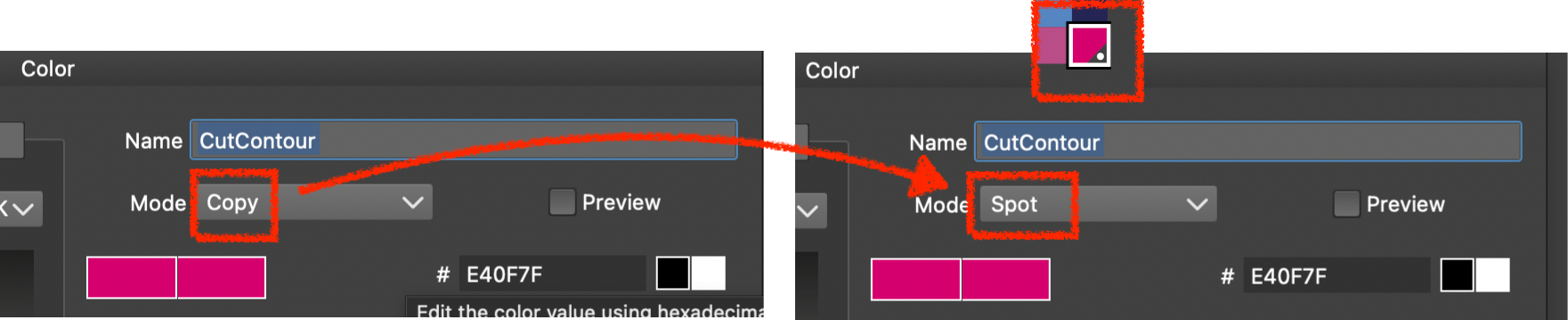
          This is how spot colors should appear in the Color Palette panel
          spotcolotbox.png

          RaaskotR 1 Reply Last reply Reply Quote 1
          • RaaskotR Offline
            Raaskot @VectorStyler
            last edited by

            @VectorStyler

            Great! I'm very thanksful😊

            6b0938e7-2f01-467e-a157-c1ecd13747cc-image.png

            1 Reply Last reply Reply Quote 1
            • First post
              Last post