Savage Clip needs help --- Help with Halftone Text (I did it, but I can't do it again)
-
Hi
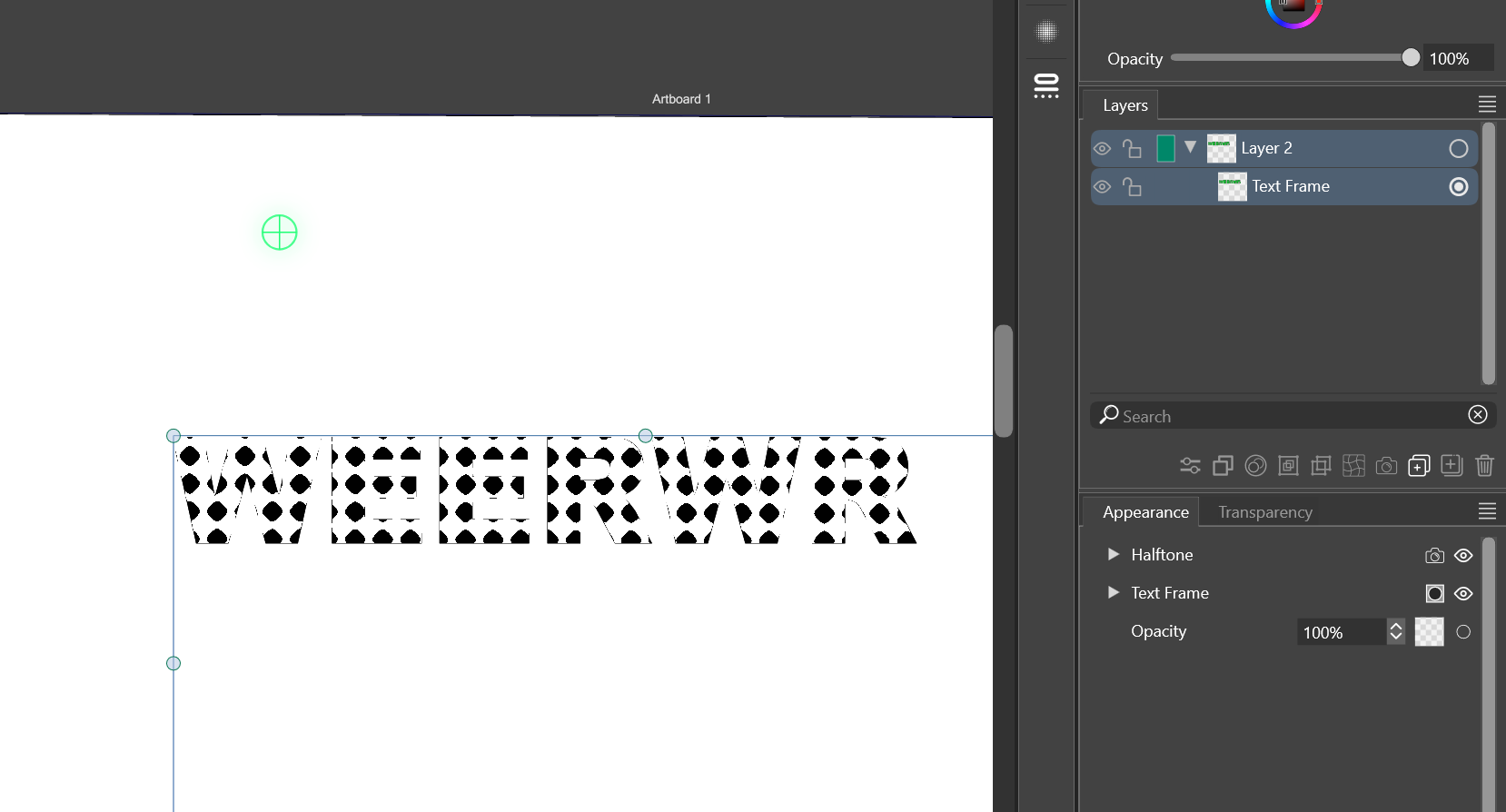
I wanted to halftone text, and it wasn't possible, but I started frantically pressing buttons, and somehow, I managed to do something with the halftone and appearance buttons.
I wanted to make a tutorial. I tried fill and halftone, and it didn't work.
Here's the verifiable result, showing that it's possible, but I have no idea how to do it again.
Some clues and problems:
The text frame is calculated at the border, the fill fills the box, and the border is the border of the box. The problem, then, is that the text exists, but it's "empty" as an element.
If anyone knows how to stroke the text like an outline, perhaps this can be achieved.
-
@Clippy-notes Do not use text frames. Use text shapes (a.k.a. point text) and add a vector halftone (not the image effect) on the text
-
@VectorStyler I went back to look for it, more calmly, and after clicking through everything, I realized that the Appearance panel changes depending on whether you're inside the text or not; it's like a double appearance. That's where you need to apply the Pixelate Halftone filter.
I don't know exactly how to do it with the Halftone panel, but at least I can do it. -
@Clippy-notes I would not use image effects on text inside a text frame. For effects on text, the shape text is much better
-
@VectorStyler I will try

