Add a distance / measurement tool for arbitrary points and objects
-
@jpsimmons The Variable Values panel can be used to define number variables from various object measures. The variable value will be linked to the object and updated as the object changes.
-
@VectorStyler said in Add a distance / measurement tool for arbitrary points and objects:
The Variable Values panel can be used to define number variables from various object measures. The variable value will be linked to the object and updated as the object changes.
How about a simple use case. I have two circles that are offset by some amount. I want to make a row of circles with that same offset. How do I do this?
-
@jpsimmons A variable can only measure a property of a single object.
-
@jpsimmons said in Add a distance / measurement tool for arbitrary points and objects:
I have two circles that are offset by some amount. I want to make a row of circles with that same offset. How do I do this?
I think you can use a repeater to achieve this, or a blend effect with 2 same circles. Other way is to use the transform dialog on your circle and choose number of copies and an offset
-
@EricP said in Add a distance / measurement tool for arbitrary points and objects:
and an offset
I have to manually put in the offset, if I know it. What I want is a way to automatically put the offset in from the GUI.
-
@jpsimmons said in Add a distance / measurement tool for arbitrary points and objects:
What I want is a way to automatically put the offset in from the GUI.
The only way to do this now is to use the width of an object to define a number variable and use that number variable as the offset.
Not sure if this covers it, but here is an example: offsetcase1.vstyler
-
@VectorStyler So, the feature request was to have a click two points and have that measurement auto load into the offset for translation. Nothing fancy-Illustrator has had it since Illustrator88.
It would just speed things up a lot to have this.
-
@jpsimmons said in Add a distance / measurement tool for arbitrary points and objects:
So, the feature request was to have a click two points and have that measurement auto load into the offset for translation.
The problem is that it is difficult to just link a value to two points clicked by the user. It has to be an attribute of an object, for example the length of a line.
-
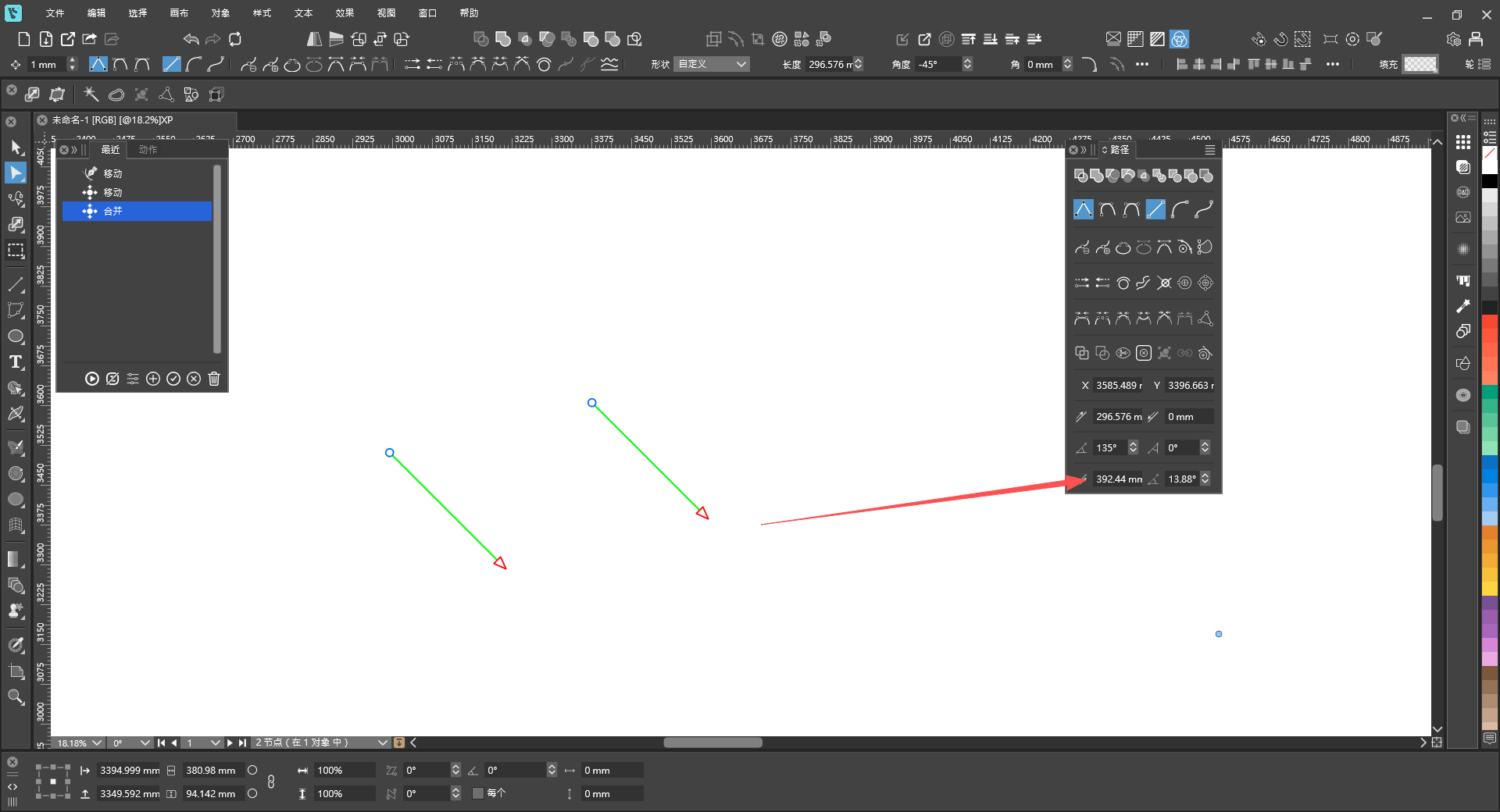
@jpsimmons Actually, it can be integrated with two paths. Then, by clicking any two nodes, the distance between the two points can be displayed in the Paths panel.
-