Detail Optimizations for Version 1.3
-
@VectorStyler I would like to suggest an optimization for the Group Overlapping feature in VectorStyler. Currently, when this option is triggered, it identifies and groups all objects that overlap with the selected shape.
From my experience as a user (and based on common forum discussions), the primary use case for this function is resolving unintended overlaps from misoperations, where the end goal is to delete the redundant overlapping elements. The existing design forces users to manually separate one base object from the grouped overlaps before deletion, which adds unnecessary complexity.
My suggestion is to add a logic adjustment: when activating Group Overlapping, automatically retain one original overlapping object outside the grouped set (not selected by the grouping action). This would allow users to directly delete the grouped redundant parts in one go, significantly streamlining the workflow—especially useful for tasks like complex pattern design where accidental overlaps are frequent.
-
@monsterfox said in Detail Optimizations for Version 1.3:
My suggestion is to add a logic adjustment
Send me an example file with before / after grouping.
-
-
@VectorStyler
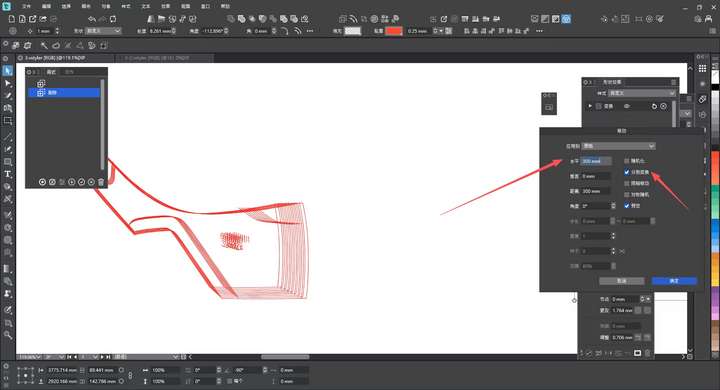
After using the move operation, all previous settings will revert to the default state in about one minute. Is there a way to make it remember the previous operation settings?
-
@monsterfox said in Detail Optimizations for Version 1.3:
Is there a way to make it remember the previous operation settings?
It should keep the previous values, if not it is a bug. I will try to replicate this
-
@monsterfox said in Detail Optimizations for Version 1.3:
After using the move operation, all previous settings will revert to the default state in about one minute
Were there some other commands used after the Move?
-
@VectorStyler Yes, I edited other graphics after performing the move operation. When I executed the move operation again about one minute later, these parameters disappeared.
-
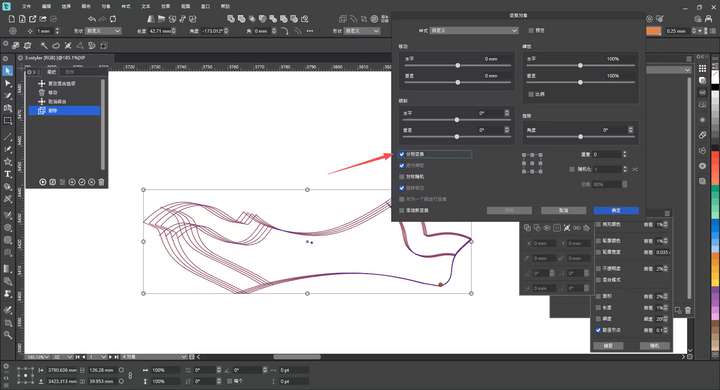
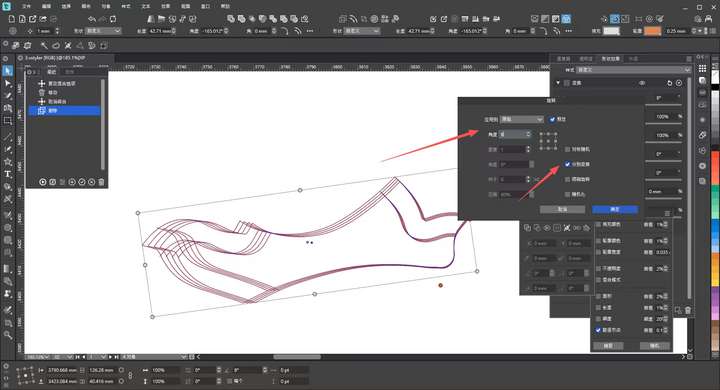
@VectorStyler It has come to my attention that certain transformation functions like rotation and scaling in the transformation panel cannot be operated in the same way as the separate transform function in the move tool. Could this feature be added?
-
@monsterfox I will try to add this.
-
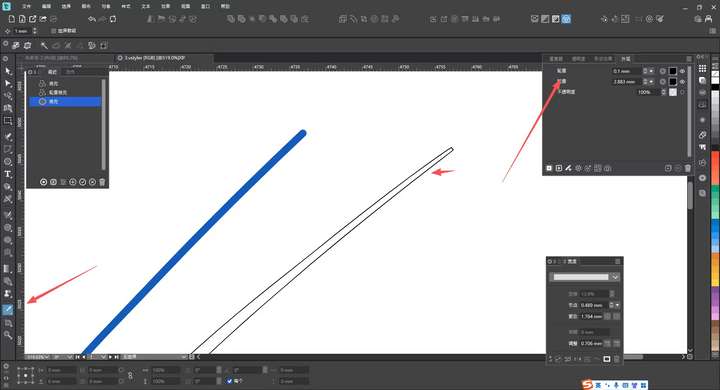
@VectorStyler The blue path is a 2mm stroke path, while the black path uses the Expand Outline effect in the Appearance panel. I want to use the Style Picker to let the blue path inherit the expanded outline style from the black path, but the result is different. Could you add support for this operation?
-
@monsterfox I added this to the backlog