VectorStyler
    • Categories
    • Unread
    • Recent
    • Tags
    • Popular
    • Register
    • Login

    Detail Optimizations for Version 1.3
    Scheduled Pinned Locked Moved Features and Ideas
    49 Posts 3 Posters 3.4k Views 3 Watching
    Loading More Posts
    • Oldest to Newest
    • Newest to Oldest
    • Most Votes
    Reply
    • Reply as topic
    Log in to reply
    This topic has been deleted. Only users with topic management privileges can see it.
    • VectorStylerV Offline
      VectorStyler @monsterfox
      last edited by

      @monsterfox This can be done only after the image was imported

      M 1 Reply Last reply Reply Quote 0
      • M Offline
        monsterfox @VectorStyler
        last edited by

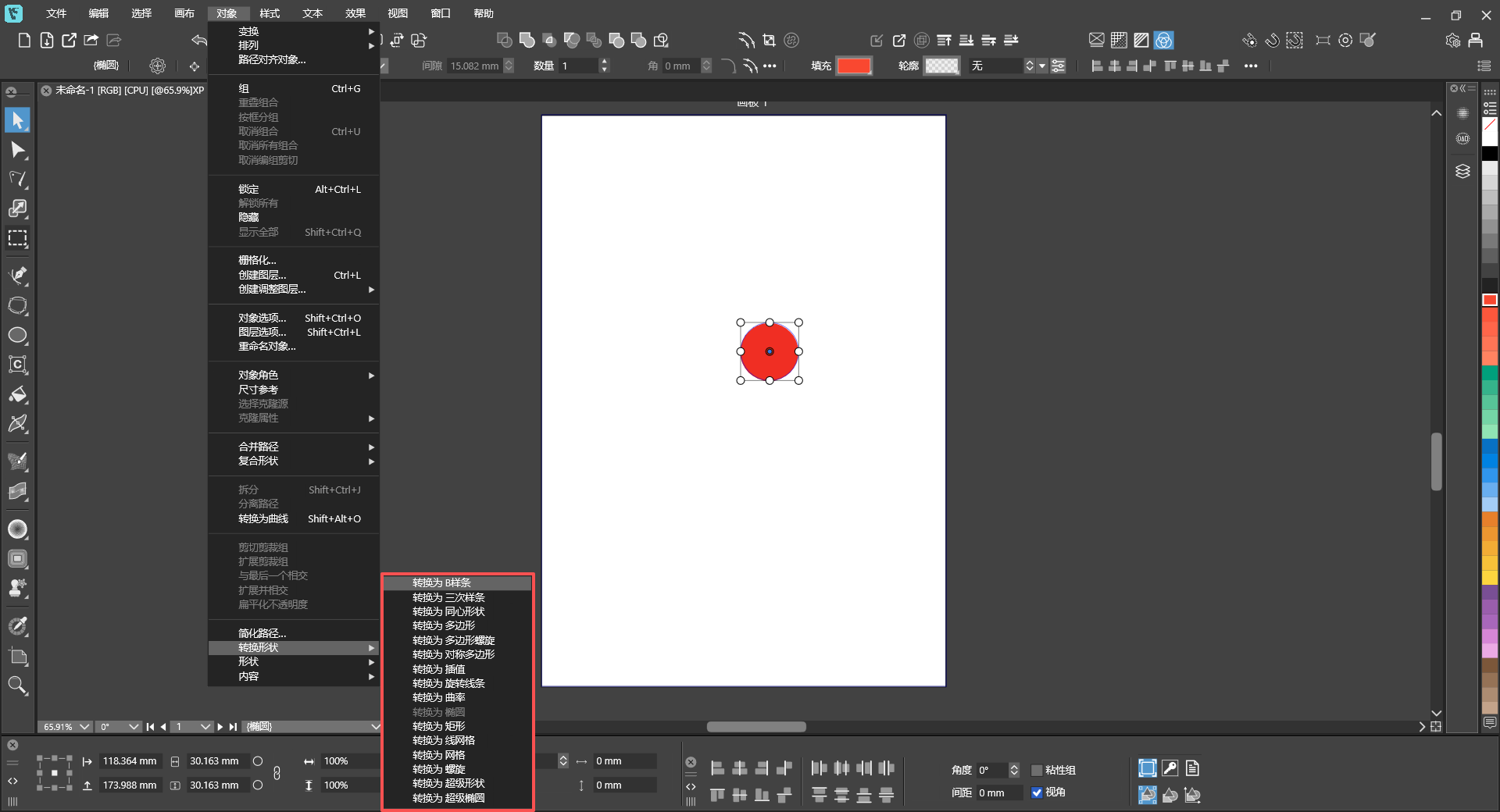

        @VectorStyler 778f57a6-ed6b-476d-84e6-ec4eb75e62b1-image.png
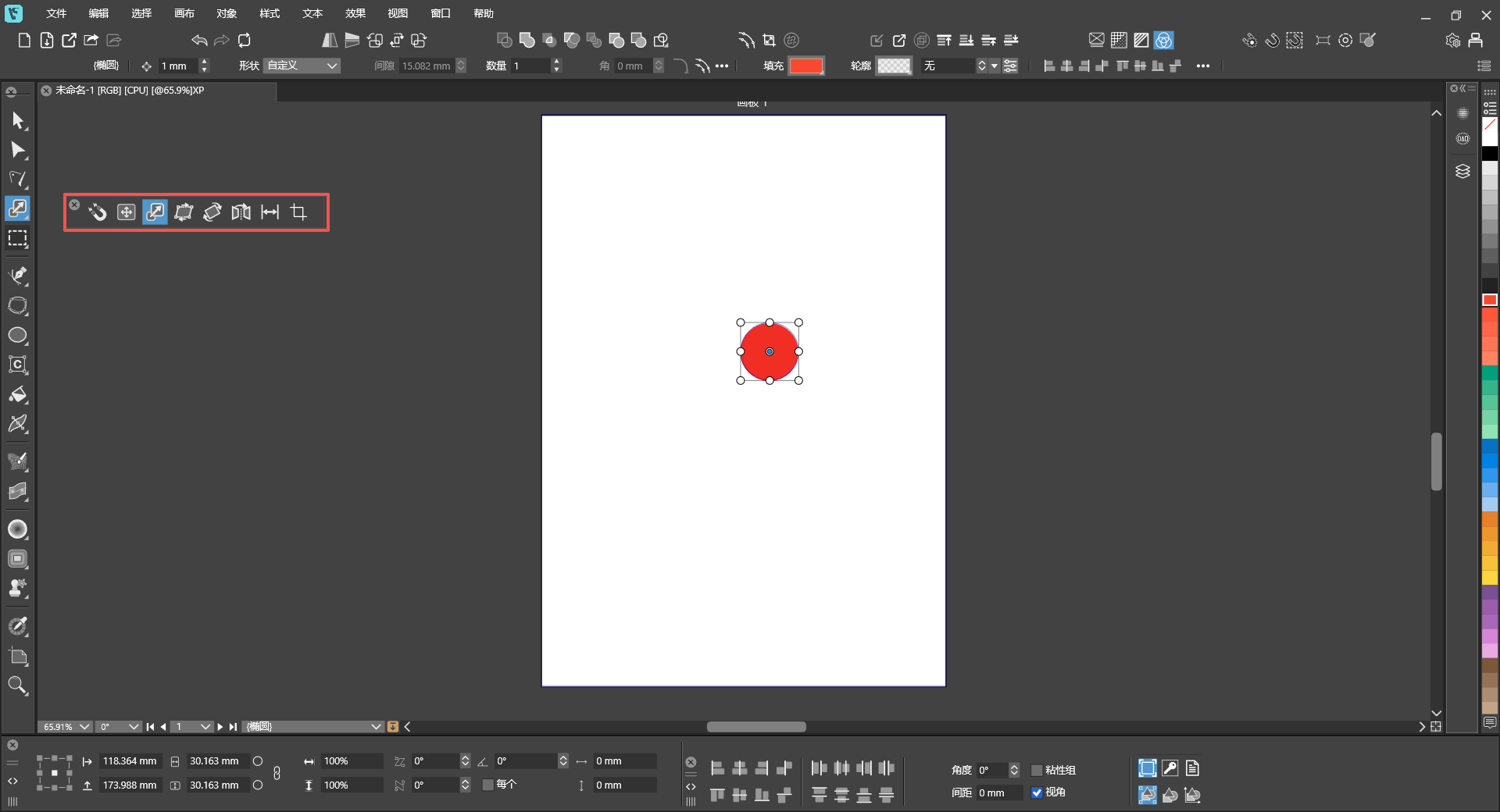
        c6cdbf6d-dd1e-4309-9ecb-b56f7d0ea3f7-image.png
        Could the menu operations also be made into pop-up panels like the toolbar? For certain special operations, there would be no need to keep clicking through the main menu repeatedly. We could directly access the submenus for more convenient workflow.

        VectorStylerV 1 Reply Last reply Reply Quote 1
        • VectorStylerV Offline
          VectorStyler @monsterfox
          last edited by

          @monsterfox This should be doable with Customize Toolboxes.
          There is a [+] icon next to the Toolbox dropdown, this can be used to create new toolboxes.

          M S 2 Replies Last reply Reply Quote 0
          • M Offline
            monsterfox @VectorStyler
            last edited by

            @VectorStyler I understand that. Normally, I create new toolboxes for my frequently‑used tools. But sometimes I need to repeatedly use certain menu functions that are not everyday tools, so it would be unnecessary to make a dedicated toolbox for them. A temporary solution for this would be sufficient.

            1 Reply Last reply Reply Quote 0
            • S Offline
              Subpath @VectorStyler
              last edited by

              @VectorStyler

              In my opinion, the toolboxes in Vectorstyler would be
              somewhat more useful if they were more flexibly adjustable in size.

              Made a Video here how it works in Coreldraw

              Win 11
              CPU: AMD Ryzen 5 9600X, 6-core.
              GPU: Nvidia Geforce RTX 5070.

              VectorStylerV 1 Reply Last reply Reply Quote 1
              • VectorStylerV Offline
                VectorStyler @Subpath
                last edited by

                @Subpath said in Detail Optimizations for Version 1.3:

                more useful if they were more flexibly adjustable in size.

                I will add this to the features list

                M 2 Replies Last reply Reply Quote 1
                • M Offline
                  monsterfox @VectorStyler
                  last edited by

                  @VectorStyler https://youtu.be/Cw55FX62hBY
                  Can a feature be added, referencing the VectorCraft program shown in the video? When the pointer selects a canvas, the currently selected canvas gets a black border to indicate selection. This would make the effect more intuitive. Thank you.

                  1 Reply Last reply Reply Quote 0
                  • M Offline
                    monsterfox @VectorStyler
                    last edited by

                    @VectorStyler https://github.com/storytold/vectorcraft

                    This is the project address of the open-source software VectorCraft. The path simplification feature in VS is still not very usable at present. Please refer to their code and improve the equivalent feature in VS.Thank you.

                    https://youtu.be/wYwcrMxgD8U

                    VectorStylerV 1 Reply Last reply Reply Quote 1
                    • VectorStylerV Offline
                      VectorStyler @monsterfox
                      last edited by

                      @monsterfox Can you send me the file with that shape (before simplification) so I can test it here also? Thanks!

                      M 1 Reply Last reply Reply Quote 0
                      • M Offline
                        monsterfox @VectorStyler
                        last edited by

                        @VectorStyler 未命名-2.vstyler

                        VectorStylerV 1 Reply Last reply Reply Quote 1
                        • VectorStylerV Offline
                          VectorStyler @monsterfox
                          last edited by

                          @monsterfox I tested with this example, but it is not clear where the simplification is broken in VS.
                          Can you post an example simplified in VS and one in VectorCraft (possibly with similar simplification parameters).

                          M 1 Reply Last reply Reply Quote 0
                          • M Offline
                            monsterfox @VectorStyler
                            last edited by

                            @VectorStyler https://youtu.be/3cWf5XqSvDY
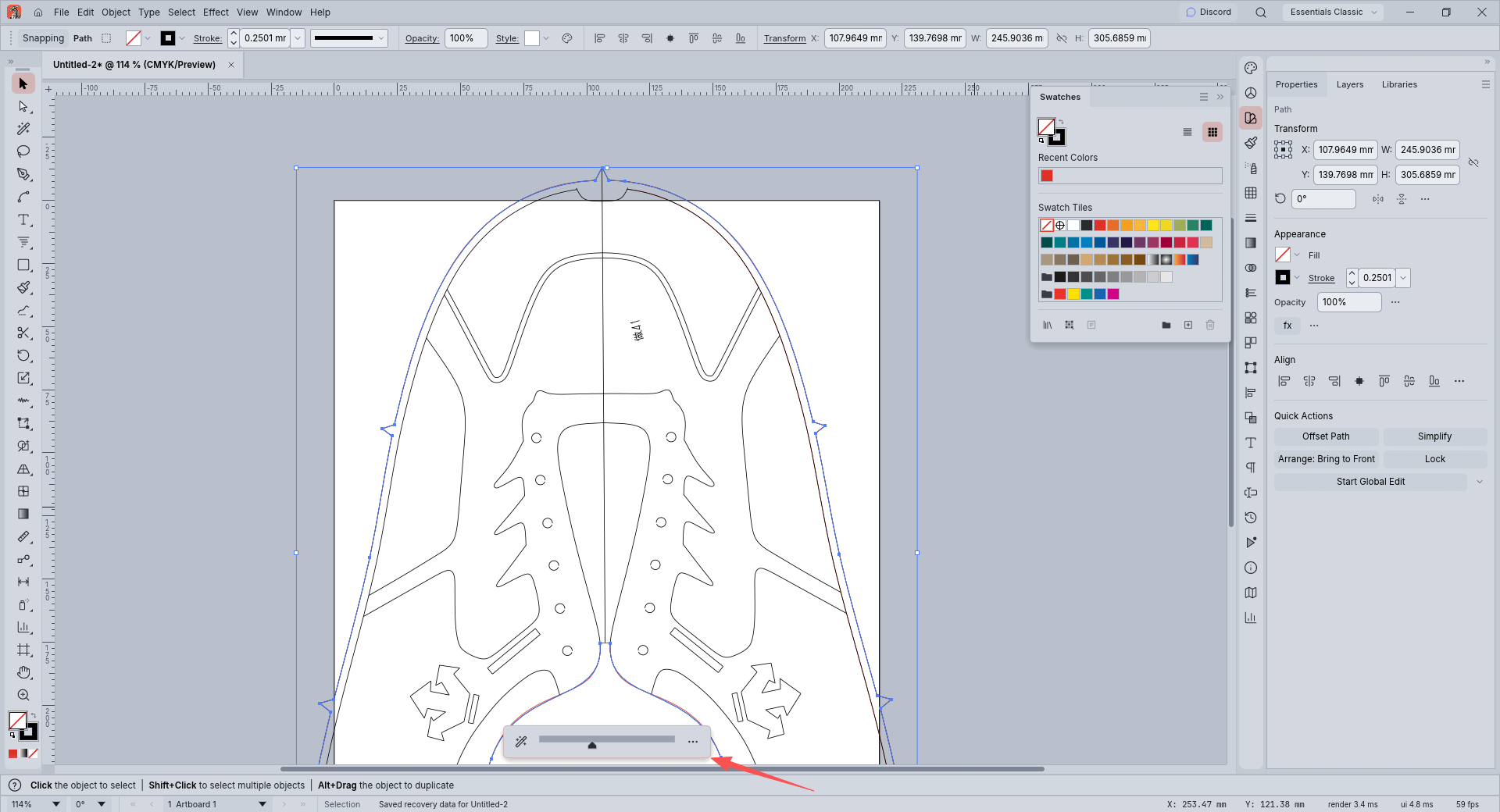

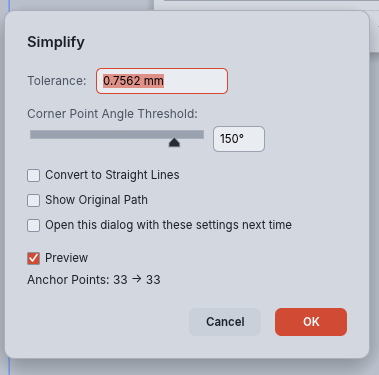
                            Pay attention to the areas marked with arrows where I operated in the middle. With VectorCraft, the operation preserves the shape of that section, and the overall simplification stays close to the original lines. However, the same operation in VS produces two issues:1.The shape at the arrow-marked section distorts during simplification.2.Even though I keep dragging the slider steadily during simplification, critical parts flicker constantly — appearing intact one moment and missing the next.
                            92d1e8eb-d611-455e-a33c-3cbc368dfe32-image.png
                            768846e1-d86f-47a1-9740-a179e167a744-image.png
                            Good simplification should only reduce nodes without altering the shape. VectorCraft has just two parameters: Tolerance and Corner Point Angle Threshold. This covers nearly all my workflow scenarios, and its default slider settings work great. Parameter tuning is only for adjusting node details based on personal needs. VS has two setting functions, neither of which works well.

                            1 Reply Last reply Reply Quote 1
                            • First post
                              Last post