VectorStyler
    • Categories
    • Unread
    • Recent
    • Tags
    • Popular
    • Register
    • Login

    Repeater : what do I do wrong ?

    Scheduled Pinned Locked Moved Questions and Support
    51 Posts 4 Posters 124.2k Views 4 Watching
    Loading More Posts
    • Oldest to Newest
    • Newest to Oldest
    • Most Votes
    Reply
    • Reply as topic
    Log in to reply
    This topic has been deleted. Only users with topic management privileges can see it.
    • B Offline
      B-Vs-V @Subpath
      last edited by B-Vs-V

      @Subpath ok thanks a lot ☺

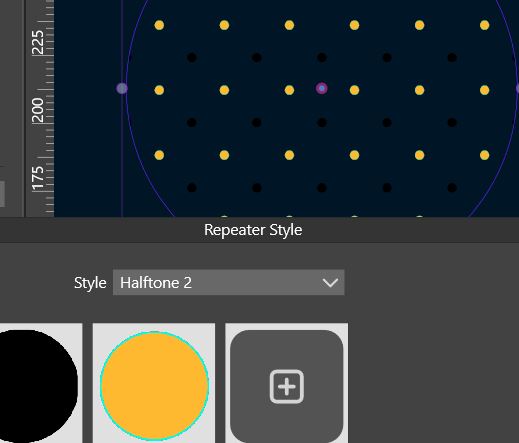
      It will help me but I still wonder why when we change the style in the 'Repeater' panel the symbol used is not the one we defined at the beginning as a symbol? It remains non intuitive for me...

      I won't have much time to test VS for the next few weeks. I'll use it again when I can design layouts like a desktop publishing software can do.

      Patrick

      Edit: no, I don't know Recordit. We have all the tools internally at work to share files and videos. For work, I use Camtasia but it's a bit heavy to use for this. Thanks again for your feedback ☺

      W11 Pro 25H2 - 12th Gen Intel(R) i7-12700K 3.61 GHz - RAM 64 Go - NVIDIA GF GTX 4070 Ti - Intuos - Dell UP3216Q / Eizo ColorEdge
      W11 Pro 25H2 - 12th Gen Intel(R) i7-12700KF 3.60 GHz -RAM 64 Go - NVIDIA GF GTX 3080 - IntuosPro- ProArt PA329C

      S 1 Reply Last reply Reply Quote 1
      • S Offline
        Subpath @B-Vs-V
        last edited by Subpath

        @Pat said in Repeater : what do I do wrong ?:

        Edit: no, I don't know Recordit. We have all the tools internally at work to share files and videos. For work, I use Camtasia but it's a bit heavy to use for this. Thanks again for your feedback

        I know Camtasia for Screen recording and video editing.

        ScreenToGif (free, Win) also has some video editing tools
        it always impresses me, because it is such a small program
        and offers many tools.

        Recordit, (free, Mac and Win) is a simple screen recording tool.
        The best part is that it uploads the Gif video to the Recordit Cloud.
        You can then post the link to the video here on the forum.
        With the free version it is possible to record 5 minute long gifs.

        Win 11
        CPU: AMD Ryzen 5 9600X, 6-core.
        GPU: Nvidia Geforce RTX 5070.

        1 Reply Last reply Reply Quote 0
        • VectorStylerV Offline
          VectorStyler @B-Vs-V
          last edited by

          @Pat I think one of the issues here is that there is no scaling intensity set.

          In the attached example, a repeater is created from a smaller object filling a larger one.

          • this can be simply done by selecting both the smaller and the larger objects and creating the repeater from the panel.

          The smaller objects fills the larger (and it is clipped). The larger object has a circular gradient (see it in the Appearance panel), that can also be edited with the interactive gradient tool.

          Now the trick is: in the Repeater panel, in the "Scaling" field the "Object Content" mode is selected. This means that the repeated object is scaled according to the intensities in the object content (that is the gradient in this example).

          Obviously, this extends to other objects (or groups), including images, where the image content can be used to scale the repeated object.

          Recording: https://recordit.co/1C1RFNyn86

          Example: 0_1676295592293_expample1.vstyler

          B 1 Reply Last reply Reply Quote 0
          • B Offline
            B-Vs-V @VectorStyler
            last edited by

            @VectorStyler said in Repeater : what do I do wrong ?:

            @Pat I think one of the issues here is that there is no scaling intensity set.

            In the attached example, a repeater is created from a smaller object filling a larger one.

            • this can be simply done by selecting both the smaller and the larger objects and creating the repeater from the panel. The smaller objects fills the larger (and it is clipped).

            Thanks ☺ Yes, I get this but I thought it was better to make it a symbol... & I would prefer that the small object is not clipped to be able to modify it. Is this possible?

            The larger object has a circular gradient (see it in the Appearance panel), that can also be edited with the interactive gradient tool.

            Ok, I didn't think about the appearance panel. I will.

            Now the trick is: in the Repeater panel, in the "Scaling" field the "Object Content" mode is selected. This means that the repeated object is scaled according to the intensities in the object content (that is the gradient in this example).

            Ok, I get this too. But why can't I change the style without loosing my small object & getting just simple black dots.

            W11 Pro 25H2 - 12th Gen Intel(R) i7-12700K 3.61 GHz - RAM 64 Go - NVIDIA GF GTX 4070 Ti - Intuos - Dell UP3216Q / Eizo ColorEdge
            W11 Pro 25H2 - 12th Gen Intel(R) i7-12700KF 3.60 GHz -RAM 64 Go - NVIDIA GF GTX 3080 - IntuosPro- ProArt PA329C

            VectorStylerV 1 Reply Last reply Reply Quote 0
            • B Offline
              B-Vs-V
              last edited by

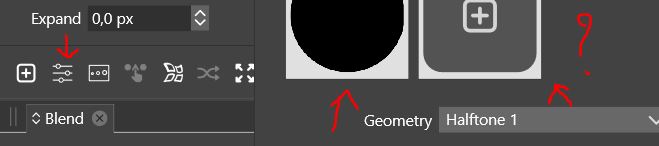
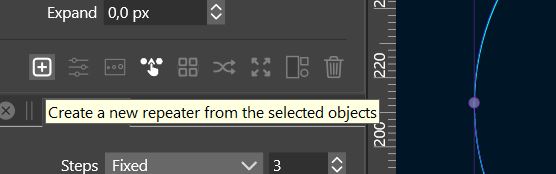
              @VectorStyler ... and when I select both object and create a repeater through the panel hamburger (top right), I get this:

              0_1676385172795_85e6b491-d942-4331-ab72-ef7bc82f215b-image.png

              W11 Pro 25H2 - 12th Gen Intel(R) i7-12700K 3.61 GHz - RAM 64 Go - NVIDIA GF GTX 4070 Ti - Intuos - Dell UP3216Q / Eizo ColorEdge
              W11 Pro 25H2 - 12th Gen Intel(R) i7-12700KF 3.60 GHz -RAM 64 Go - NVIDIA GF GTX 3080 - IntuosPro- ProArt PA329C

              1 Reply Last reply Reply Quote 0
              • B Offline
                B-Vs-V
                last edited by

                @VectorStyler ... and the 'preview' option in the intensity window (Scaling --> Gradient) doesn't preview.

                W11 Pro 25H2 - 12th Gen Intel(R) i7-12700K 3.61 GHz - RAM 64 Go - NVIDIA GF GTX 4070 Ti - Intuos - Dell UP3216Q / Eizo ColorEdge
                W11 Pro 25H2 - 12th Gen Intel(R) i7-12700KF 3.60 GHz -RAM 64 Go - NVIDIA GF GTX 3080 - IntuosPro- ProArt PA329C

                1 Reply Last reply Reply Quote 0
                • VectorStylerV Offline
                  VectorStyler @B-Vs-V
                  last edited by

                  @Pat said in Repeater : what do I do wrong ?:

                  Yes, I get this but I thought it was better to make it a symbol

                  Symbol will also work for this.

                  I would prefer that the small object is not clipped to be able to modify it. Is this possible?

                  Yes, in the Repeater panel menu uncheck "Clipped Content"

                  But why can't I change the style without loosing my small object & getting just simple black dots

                  This does not happen if the symbol is used. In the example I did not use a symbol, but with symbol it will work the same.

                  and the 'preview' option in the intensity window (Scaling --> Gradient) doesn't preview

                  I added this to the backlog.

                  B 1 Reply Last reply Reply Quote 0
                  • B Offline
                    B-Vs-V @VectorStyler
                    last edited by

                    @VectorStyler

                    But why can't I change the style without loosing my small object & getting just simple black dots

                    This does not happen if the symbol is used. In the example I did not use a symbol, but with symbol it will work the same.

                    When the style is changed, the symbol is changed (black dots) even if my object has been defined first as a symbol. I simply don't get it. The object we defined ourselves as a symbol should remain in the design whether or not the style is changed IMHO... but fine, I'll get used to this.

                    W11 Pro 25H2 - 12th Gen Intel(R) i7-12700K 3.61 GHz - RAM 64 Go - NVIDIA GF GTX 4070 Ti - Intuos - Dell UP3216Q / Eizo ColorEdge
                    W11 Pro 25H2 - 12th Gen Intel(R) i7-12700KF 3.60 GHz -RAM 64 Go - NVIDIA GF GTX 3080 - IntuosPro- ProArt PA329C

                    VectorStylerV 1 Reply Last reply Reply Quote 0
                    • VectorStylerV Offline
                      VectorStyler @B-Vs-V
                      last edited by

                      @Pat Send me the example, I will try to figure out what is going on.

                      BTW: if the repeater uses a colorizer, then the color in the symbols is also changed.

                      B 2 Replies Last reply Reply Quote 0
                      • B Offline
                        B-Vs-V @VectorStyler
                        last edited by

                        @VectorStyler I have just sent you the file including various VS tests and of course this one ☺ Thanks.

                        W11 Pro 25H2 - 12th Gen Intel(R) i7-12700K 3.61 GHz - RAM 64 Go - NVIDIA GF GTX 4070 Ti - Intuos - Dell UP3216Q / Eizo ColorEdge
                        W11 Pro 25H2 - 12th Gen Intel(R) i7-12700KF 3.60 GHz -RAM 64 Go - NVIDIA GF GTX 3080 - IntuosPro- ProArt PA329C

                        1 Reply Last reply Reply Quote 1
                        • B Offline
                          B-Vs-V @VectorStyler
                          last edited by

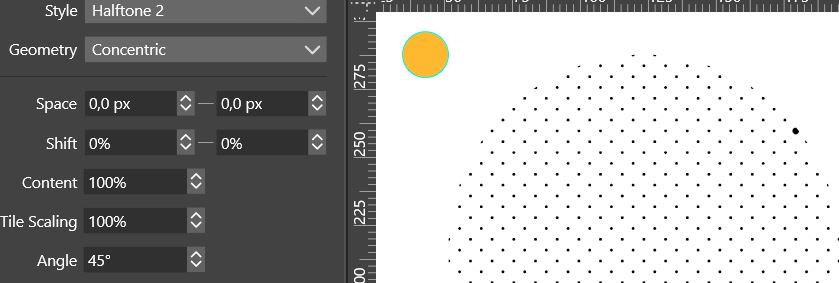
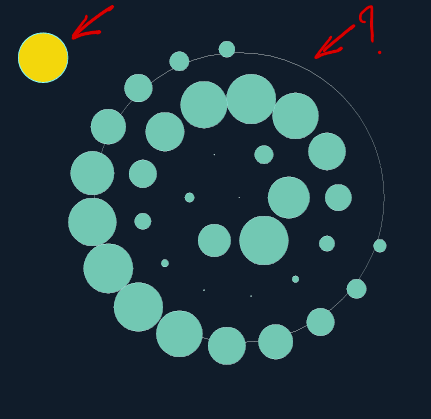
                          @VectorStyler I've defined the object as a symbol but changing its colour, adding a stroke are not repeated on the large object.
                          0_1676399113879_d751fa21-2803-417f-8448-24159640c588-image.png

                          W11 Pro 25H2 - 12th Gen Intel(R) i7-12700K 3.61 GHz - RAM 64 Go - NVIDIA GF GTX 4070 Ti - Intuos - Dell UP3216Q / Eizo ColorEdge
                          W11 Pro 25H2 - 12th Gen Intel(R) i7-12700KF 3.60 GHz -RAM 64 Go - NVIDIA GF GTX 3080 - IntuosPro- ProArt PA329C

                          VectorStylerV 1 Reply Last reply Reply Quote 0
                          • VectorStylerV Offline
                            VectorStyler @B-Vs-V
                            last edited by

                            @Pat Sorry for the late reply 🙂
                            Got the email with the example. One thing I noticed is that there are two repeaters added to the larger object (see in Appearance panel). This will be supported better in the future. For now, only one of these repeaters is shown.

                            As for the symbol case: not sure how the above example was created, but I attached an example with a symbol where changing the symbol style updates the style in the repeater also (of course, no colorizer is used here).

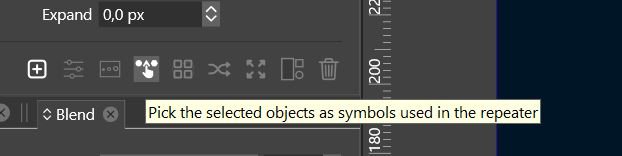
                            Not sure if this was documented well, but if we want to use a symbol in a repeater, then that symbol must be drag&droped onto the Repeater panel from the Symbols panel (and most not be selected on the canvas).

                            If there is a specific thing you would like to achieve with the repeater, maybe I can explain better how.

                            0_1676451052712_repeater2.vstyler

                            B 2 Replies Last reply Reply Quote 0
                            • B Offline
                              B-Vs-V @VectorStyler
                              last edited by

                              @VectorStyler said in Repeater : what do I do wrong ?:

                              @Pat Sorry for the late reply 🙂
                              Got the email with the example. One thing I noticed is that there are two repeaters added to the larger object (see in Appearance panel). This will be supported better in the future. For now, only one of these repeaters is shown.

                              Yes, I did a second repeater on the same object because the first one did not work.
                              Thanks.

                              W11 Pro 25H2 - 12th Gen Intel(R) i7-12700K 3.61 GHz - RAM 64 Go - NVIDIA GF GTX 4070 Ti - Intuos - Dell UP3216Q / Eizo ColorEdge
                              W11 Pro 25H2 - 12th Gen Intel(R) i7-12700KF 3.60 GHz -RAM 64 Go - NVIDIA GF GTX 3080 - IntuosPro- ProArt PA329C

                              1 Reply Last reply Reply Quote 0
                              • B Offline
                                B-Vs-V @VectorStyler
                                last edited by

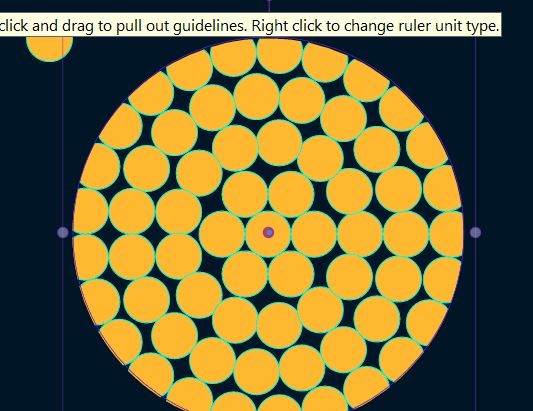
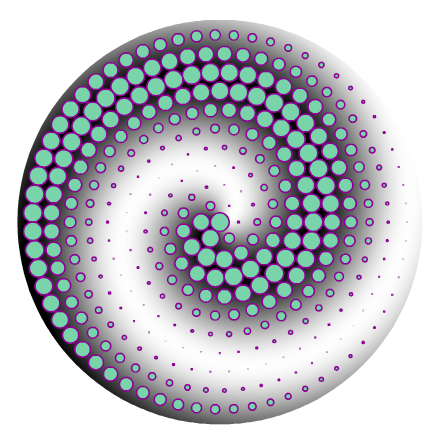
                                @VectorStyler I've expended the repeater and got this:
                                0_1676485982977_9f17b954-ca9a-459b-b3dd-f318b48f5958-image.png

                                W11 Pro 25H2 - 12th Gen Intel(R) i7-12700K 3.61 GHz - RAM 64 Go - NVIDIA GF GTX 4070 Ti - Intuos - Dell UP3216Q / Eizo ColorEdge
                                W11 Pro 25H2 - 12th Gen Intel(R) i7-12700KF 3.60 GHz -RAM 64 Go - NVIDIA GF GTX 3080 - IntuosPro- ProArt PA329C

                                VectorStylerV 1 Reply Last reply Reply Quote 1
                                • VectorStylerV Offline
                                  VectorStyler @B-Vs-V
                                  last edited by

                                  @Pat Yes, this is because it has a fill (that was hidden).

                                  I will try to find a way to deal with these.

                                  B 1 Reply Last reply Reply Quote 0
                                  • B Offline
                                    B-Vs-V @VectorStyler
                                    last edited by

                                    @VectorStyler when I go back in the history, I don't come back to the inital state at the repeater object

                                    W11 Pro 25H2 - 12th Gen Intel(R) i7-12700K 3.61 GHz - RAM 64 Go - NVIDIA GF GTX 4070 Ti - Intuos - Dell UP3216Q / Eizo ColorEdge
                                    W11 Pro 25H2 - 12th Gen Intel(R) i7-12700KF 3.60 GHz -RAM 64 Go - NVIDIA GF GTX 3080 - IntuosPro- ProArt PA329C

                                    VectorStylerV 1 Reply Last reply Reply Quote 0
                                    • VectorStylerV Offline
                                      VectorStyler @B-Vs-V
                                      last edited by

                                      @Pat said in Repeater : what do I do wrong ?:

                                      @VectorStyler when I go back in the history, I don't come back to the inital state at the repeater object

                                      This could be a bug, added it to the backlog.

                                      B 1 Reply Last reply Reply Quote 0
                                      • B Offline
                                        B-Vs-V @VectorStyler
                                        last edited by

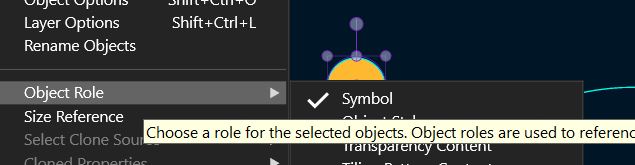
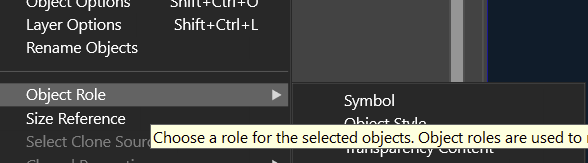
                                        @VectorStyler To define an object as symbol, I did through the Symbol panel menu (Create Symbol) but when I go to the menu (Object-> Object role), it is not marked as symbol.

                                        W11 Pro 25H2 - 12th Gen Intel(R) i7-12700K 3.61 GHz - RAM 64 Go - NVIDIA GF GTX 4070 Ti - Intuos - Dell UP3216Q / Eizo ColorEdge
                                        W11 Pro 25H2 - 12th Gen Intel(R) i7-12700KF 3.60 GHz -RAM 64 Go - NVIDIA GF GTX 3080 - IntuosPro- ProArt PA329C

                                        VectorStylerV 1 Reply Last reply Reply Quote 1
                                        • VectorStylerV Offline
                                          VectorStyler @B-Vs-V
                                          last edited by

                                          @Pat The Symbols panel menu should also work the same.

                                          For the object role: did the object show up in the Symbol panel after the role was set?

                                          B 1 Reply Last reply Reply Quote 0
                                          • B Offline
                                            B-Vs-V @VectorStyler
                                            last edited by

                                            @VectorStyler said in Repeater : what do I do wrong ?:

                                            @Pat The Symbols panel menu should also work the same.

                                            For the object role: did the object show up in the Symbol panel after the role was set?

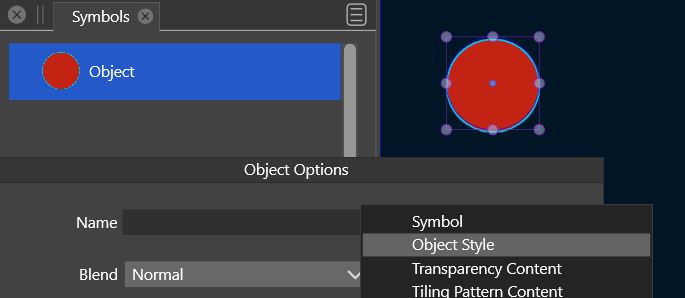
                                            Yes but :
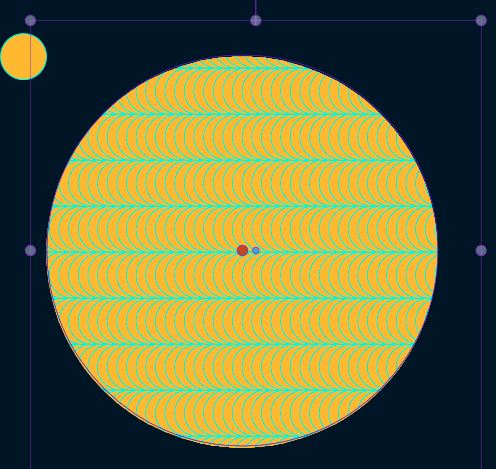
                                            0_1676495188895_464ca740-5650-49be-96b8-d1566b864523-image.png

                                            and

                                            0_1676495211148_Symbol1.JPG

                                            W11 Pro 25H2 - 12th Gen Intel(R) i7-12700K 3.61 GHz - RAM 64 Go - NVIDIA GF GTX 4070 Ti - Intuos - Dell UP3216Q / Eizo ColorEdge
                                            W11 Pro 25H2 - 12th Gen Intel(R) i7-12700KF 3.60 GHz -RAM 64 Go - NVIDIA GF GTX 3080 - IntuosPro- ProArt PA329C

                                            VectorStylerV 1 Reply Last reply Reply Quote 1
                                            • First post
                                              Last post